Gigabyte Z690M DS3H DDR4
UNPARALLELED PERFORMANCE
With technology moving so fast, GIGABYTE still keep up with the latest trends and provide our customers with advanced features and latest technology. GIAGBYTE Z690 Series motherboards come with upgraded power solution, latest storage standards and outstanding connectivity to enable optimize performance for gaming.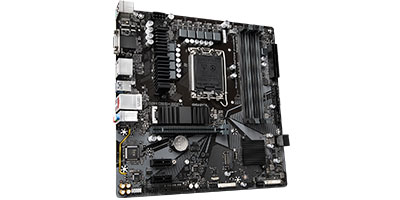
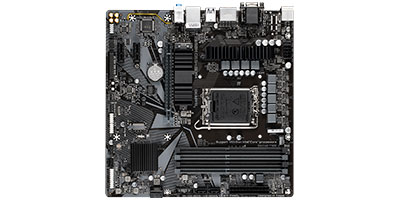 2X Faster than ever
Adoption of 2.5G LAN provide up to 2.5 GbE network connectivity, with at least 2 times faster transfer speeds compared to general 1 GbE networking, perfectly designed for gamers with ultimate online gaming experience. RGB FUSION 2.0
Z690 motherboards feature RGB FUSION 2.0 to offer lighting effected options and customized settings with outstanding aesthetics, and able to let enthusiasts building a stylish and unique gaming PC.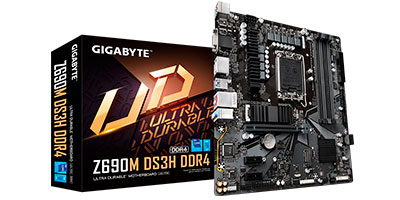
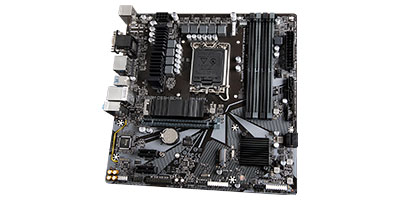 Update the BIOS easily without installing the CPU, memory and graphics card.
With GIGABYTE Q-Flash Plus, you don’t need to install the CPU, memory and graphics card nor enter the BIOS menu to flash the BIOS. Just download and save a new BIOS file (rename to gigabyte.bin) on the USB flash drive, then press the dedicated Q-Flash Plus button and you’re good to go!
With technology moving so fast, GIGABYTE still keep up with the latest trends and provide our customers with advanced features and latest technology. GIAGBYTE Z690 Series motherboards come with upgraded power solution, latest storage standards and outstanding connectivity to enable optimize performance for gaming.
2X Faster than everAdoption of 2.5G LAN provide up to 2.5 GbE network connectivity, with at least 2 times faster transfer speeds compared to general 1 GbE networking, perfectly designed for gamers with ultimate online gaming experience. RGB FUSION 2.0
Z690 motherboards feature RGB FUSION 2.0 to offer lighting effected options and customized settings with outstanding aesthetics, and able to let enthusiasts building a stylish and unique gaming PC.
Update the BIOS easily without installing the CPU, memory and graphics card.With GIGABYTE Q-Flash Plus, you don’t need to install the CPU, memory and graphics card nor enter the BIOS menu to flash the BIOS. Just download and save a new BIOS file (rename to gigabyte.bin) on the USB flash drive, then press the dedicated Q-Flash Plus button and you’re good to go!
₪493.00
משלוח מהיר לכל הארץ
אחריות יצרן רשמית
תשלום מאובטח
מפרט טכני מלא
כללי
| ערכת שבבים | Intel Z690 |
| תושבת מעבד | 1700 |
| סוג זכרון | DDR4 |
| תצורת לוח | Micro ATX |
| חיבורי תקשורת | LAN 2.5 Gb/s |
| חיבור גרפי | VGA | HDMI | DisplayPort |
| חיבור USB | USB 3.2 | USB 2.0 |
| כרטיס קול משולב | 3 port |
| RAID | 0,1,5,10 |
| סלוטים DDR4 | 4 |
| PCI-E x16 | 1 |
| PCI-E x1 | 2 |
| USB Type-C | 1 |
| USB 3.2 | 5 |
| USB 2.0 | 6 |
| ממשק אחסון | M.2 PCIe | SATA3 |
| חיבורי SATA3 | 4 |
| חיבורי M.2 PCIe | 2 |
| חריצי הרחבה | Trusted Platform Module (TPM) | PCIe 4.0 x16 | PCIe 4.0 x1 |
| חיבור סיריאלי COM | אופציונלי |
| אריזה | Retail - קופסה |
| הערות | 1x Parallel port header |
| Brand | Gigabyte |